
Subscription Deals in 2026: Streaming, Software, AI and VPNs
 SubShave Editorial15 March 2026
Compare subscription deals for streaming, software, AI and VPNs. Find relevant guides and compare total costs, access and renewal terms.
Affiliate disclosure: This article contains affiliate links. SubShave may earn a commission if you purchase through them. SubShave publishes comparisons; the provider or seller identified at checkout handles your purchase.
Subscription creep is real. One streaming service becomes three, one AI tool becomes four, and suddenly your monthly stack is eating more of your budget than your phone bill.
Find subscription deals by what you need
Start with the category you are shopping for. The guides below compare useful features, payment periods and eligibility, so you can shortlist an offer before checking its current price.
- Streaming deals and bundles: compare services around your watchlist.
- Software subscription deals: compare productivity and creative tools.
- AI subscriptions by task: choose a tool for the work you actually do.
- Student subscription discounts: check education eligibility before paying standard prices.
- PureVPN deals: compare the initial payment and renewal.
If your goal is to reduce the whole monthly bill, use our subscription savings guide for a step-by-step strategy.
The smartest way to spend less is not to cancel everything. It is to identify the subscriptions you actually use, cut overlap, pick the right plan length, and start with the deals that create the biggest visible savings first.
Quick answer
A useful saving starts with a subscription you already need. PureVPN’s Standard offer currently lists $58.20 upfront for 27 months, compared with $12.95 for one month. Compare the total commitment and renewal before choosing.

Why tech subscriptions get expensive so fast
Most people do not overpay because they chose one terrible service. They overpay because they keep too many subscriptions active at the same time, stay on the wrong plan tier, or let monthly billing renew for products they already know they will keep for the whole year.
| Category | Common mistake | Smarter move |
|---|---|---|
| VPNs | Paying full monthly price forever | Switch to the best-value long-term plan once you know you will keep it |
| Streaming | Running too many overlapping services at once | Rotate services monthly or choose the plan tier that actually fits your household |
| AI tools | Subscribing to multiple tools that solve the same job | Keep one core tool and add a second only if it covers a genuinely different use case |
| Productivity apps | Ignoring annual discounts on tools you use daily | Pay annually only for proven keeper tools, not for experiments |
A long-term subscription example: PureVPN
PureVPN illustrates the trade-off between a lower cost over a long term and a larger upfront payment. Use it as an example only if you actually need a VPN.
| PureVPN plan | Official monthly price | Long-term promoted price | Who it suits best |
|---|---|---|---|
| Standard | $12.95/month | $58.20 upfront for 27 months | VPN-focused use |
| Plus | Check current monthly checkout | $73.80 upfront for 27 months | Compare the bundled extras |
| Max | Check current monthly checkout | $95.85 upfront for 27 months | Only if you need the additional tools |
For most readers, Standard is the simplest value play. You still get the core VPN, tracker blocking, and the large monthly savings that make the deal feel meaningful. If you know you want extra privacy tools like password management or data-removal features, then Plus or Max can make sense.
The checked PureVPN order page lists annual renewals of $47.95 for Standard, $69.95 for Plus and $84.95 for Max after these introductory terms. Offers can vary by checkout route. The 31-day refund policy applies to eligible initial purchases, with exclusions; it is not a refund promise for every renewal.
Compare the current PureVPN offer
Check the full payment, included tools and renewal before selecting a long-term plan. Buy additional features only when you expect to use them.
How to save more on streaming subscriptions
Streaming is where a lot of people leak money without noticing. The fix is usually not “stop subscribing.” It is “stop subscribing to everything at the same time.”
- Rotate monthly: keep one or two active services, then swap when you finish what you wanted to watch.
- Choose the right household plan: Duo, Family, and premium tiers only save money when the household setup is real and the seats get used.
- Use comparison guides before renewing: that is the easiest way to see whether you are paying for features you do not need.
If you want examples, SubShave already has related guides on Spotify plan value, F1 TV Pro pricing, and other subscription categories that are easy to overpay for.
How to save on AI subscriptions without losing productivity
AI subscriptions get expensive when people stack similar tools. A better strategy is to choose one main tool for your daily work, then add a second only if it solves a clearly different problem.
- Use one “thinking/research” tool and one “writing/editing” tool only when both materially improve your workflow.
- Before upgrading, compare the premium tier against the free tier honestly.
- If you are already paying for one premium AI tool, ask whether the second one replaces it or just overlaps with it.
For readers comparing options, internal guides like How to Get Perplexity AI Cheap and Grok vs ChatGPT work well as natural next clicks from this article.
The subscription audit that saves the most money
- List every active subscription. Most people underestimate the real number.
- Mark each one as core, seasonal, or replaceable.
- Cancel overlap first. Two similar tools are almost always a bigger problem than one “expensive” tool.
- Move keeper tools to the best-value annual or long-term plan.
- Review a current offer only after deciding which subscription you need.
Best subscription strategy for most people
Best overall approach: keep your stack small, use monthly billing for experimental services, and reserve annual or long-term billing for proven keeper subscriptions only.
Useful comparison categories: services you use regularly, where a longer billing term reduces the actual cost over your expected period of use.
When comparing PureVPN plans, weigh the full upfront payment and renewal price against how long you expect to use the service. A low monthly equivalent can require a long prepaid commitment.
Pros and cons
Final verdict
If you want to spend less on tech subscriptions in 2026, do not start by hunting for twenty tiny coupon codes. Start by fixing the structure of your stack: cut overlap, pick the right plan tier, and use long-term pricing only for services you already know you want to keep.
If PureVPN is already on your shortlist, compare the current offer below with a flexible monthly plan. Otherwise, begin with the subscriptions you actually use and cut the ones you do not.
Bottom line
Compare PureVPN’s current total and renewal if you need a VPN, then apply the same checks to the rest of your subscription budget.
Sources and offer checks
Editorial review: 26 September 2026. The links below support the specific plan, price or access points discussed. Prices, eligibility and availability can change; confirm the selected checkout before buying.
Related Articles
Other
Compare annual and monthly subscriptions using break-even calculations, renewal prices and cancellation terms to choose the right billing option.

Students can cut subscription costs by half or more across music, streaming, and software - and get a surprising amount completely free. Here is every major student discount worth claiming in 2026 and how verification actually works.
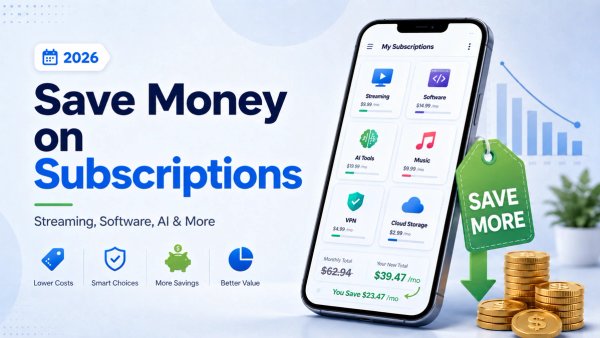
Learn how to save money on subscriptions in 2026, including streaming, software, AI tools, VPNs, music, TV services, and digital subscriptions.
Popular on SubShave
Save Money Today
Stop Overpaying for Subscriptions
Compare subscription offers for streaming, AI tools, and software. Prices, access arrangements, and availability vary by seller.
Explore All Deals