
How Much Does Dropbox Cost? Plans and Pricing in 2026
 SubShave Editorial18 October 2026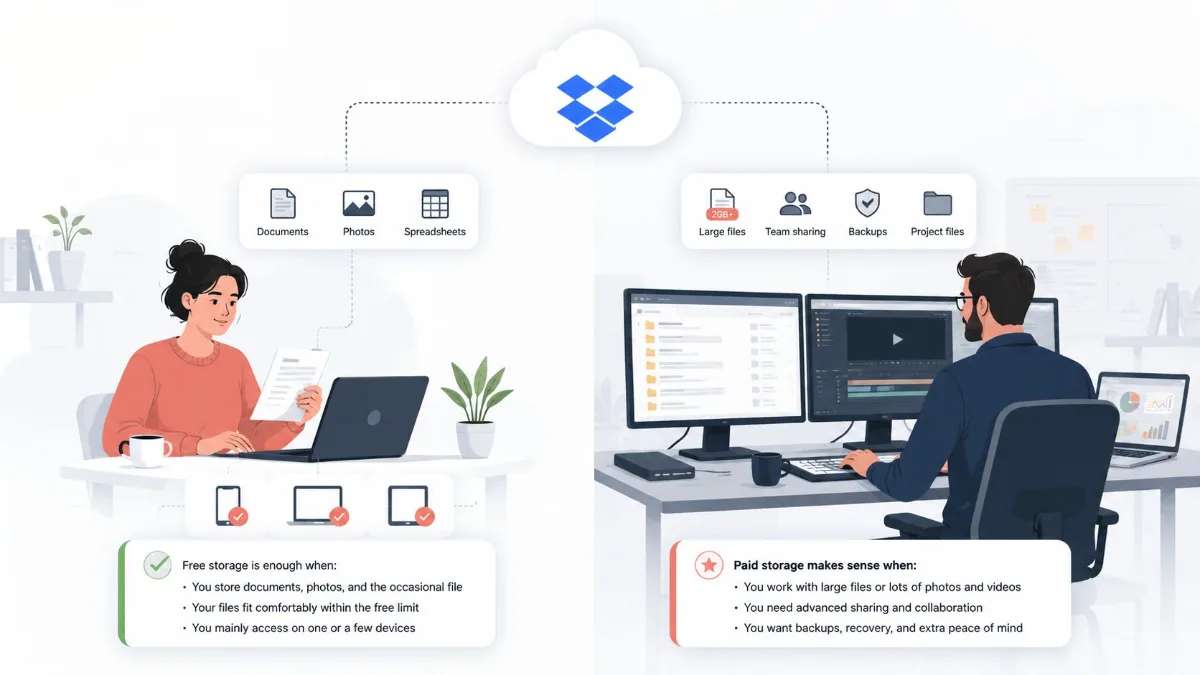
Compare Dropbox Basic, Plus, Standard and Advanced prices. Check annual billing, team costs, storage and downgrade rules before choosing your plan.
Dropbox pricing depends on whether you need personal storage or tools for managing shared work. The lowest displayed monthly figure may be an annual billing equivalent, while business plans can multiply that figure by several paid users.
Dropbox plans and annual prices
| Plan | US annual-billing equivalent | Storage and users |
|---|---|---|
| Basic | Free | 2 GB |
| Plus | $9.99/month; $119.88/year | 2 TB; one person |
| Standard | $15/user/month; $180/user/year | Starts at 3 TB for the team; one or more users |
| Advanced | $24/user/month; $288/user/year | Starts at 15 TB for the team; minimum three users |
These are the US-dollar yearly-billing figures displayed on Dropbox's plans page when checked. Annual totals are calculated from those rates. The monthly-billing toggle, country, tax and selected checkout can produce a different quote. Enterprise uses custom pricing.
Start with the storage you actually use
Check your current stored files, shared folders and expected growth. Do not choose a large plan simply because its per-terabyte price looks lower. Storage you never use still costs money.
Basic can be enough for a small collection. Plus is the straightforward paid personal option. For shared work, compare Standard and Advanced from the required users, administration and recovery features as well as storage.
Plus vs Standard vs Advanced
The checked comparison lists 30-day file recovery for Plus, 180 days for Standard and one year for Advanced. Those windows can matter when a mistake is discovered much later than it occurred.
For a household, decide whether people need separate accounts and shared capacity. If a Family offer is available in your region, compare its actual checkout rather than assuming the personal Plus plan covers multiple users.
For a team, write down who owns files, who manages permissions and what happens when a colleague leaves. A personal storage subscription may not provide the administration the organization needs.
Calculate the whole team bill
At the annual figures above, five Standard users cost $900 per year before tax. Advanced's three-user minimum starts at $864 per year at the quoted rate. These are arithmetic examples, not additional offers.
Compare the entire bill with the functions you need. A per-user label is easy to overlook when you are mainly shopping for storage, and a minimum-seat requirement can outweigh a small difference in the headline rate.
- Count people who need paid access.
- Check minimum seats and seat-reduction rules.
- Confirm whether storage is shared or allocated per user.
- Record the billing period and any optional products.
- Review access when contractors or employees leave.
Check storage you already pay for
You may already have useful capacity through another subscription. Compare Google One storage plans, iCloud+ value and Microsoft 365 plans before adding a second service.
The best fit depends on the devices and collaborators involved. Test sharing, offline access, large file handling and the formats you work with. A cheaper service is not a saving if it adds repeated manual work.
Before downgrading Dropbox
Do not assume all cloud files are already stored safely on your computer. Online-only placeholders are not independent backups. Fully download important files, open a sample to verify them and keep a separate copy before reducing your storage allowance.
Dropbox's Basic over-quota guidance warns that restrictions can apply and, after notifications, owned files may be deleted to reduce storage. The guidance applies to some Basic users; follow the notices and deadlines for your account.
- Check how much storage remains after the downgrade.
- Download and verify important files and backups.
- Review shared folders and notify collaborators.
- Confirm which features and recovery windows change.
- Save the confirmation and effective date.
Make the subscription earn its place
After a month, review whether Dropbox is solving a distinct problem: reliable shared work, simple file delivery or a workflow your other services cannot cover. Remove duplicate storage plans only after the migration has been checked.
Our subscription savings guide helps compare the recurring cost without overlooking the work needed to move your data.
Frequently asked questions
Is the displayed monthly price collected monthly?
Not necessarily. Check whether yearly billing is selected. A monthly equivalent can represent an annual upfront charge.
Does each team member get the full listed storage?
Read the plan's allocation carefully. Team storage can be a shared amount rather than the same allowance for every user.
Can I cancel and leave all my files online?
Do not rely on that. Check the lower plan's quota, fully download important files and follow Dropbox's account notices.
Sources and price checks
Editorial check: 27 September 2026. Prices and terms are a dated snapshot, not a promise of a future offer. Confirm your country, selected plan, taxes and renewal at checkout.
Save Money Today
Find the cheapest deal on this service
SubShave compares third-party offers for streaming, AI tools, and software. Check the seller’s current prices and terms before purchasing.
Related Articles
Software
Compare NordVPN monthly prices, long-term upfront costs and renewal rates. Check Basic, Complete, Prime and account access before choosing a plan.

Compare VPN deals by upfront cost, renewal price and account access. Review NordVPN, PureVPN and a free option before committing to a long plan.

Compare Adobe Creative Cloud Standard, Pro and student pricing. Understand annual contracts, renewal costs and cancellation before choosing a plan.
Popular on SubShave
Save Money Today
Stop Overpaying for Subscriptions
Compare subscription offers for streaming, AI tools, and software. Prices, access arrangements, and availability vary by seller.
Explore All Deals