
How to Get Microsoft 365 Cheaper in 2026: Plans and Deals
 SubShave Editorial27 May 2026
Compare Microsoft 365 deals, Personal and Family plans, Office apps and OneDrive storage. Check who receives Copilot before buying.
Affiliate disclosure: This article contains affiliate links. SubShave may earn a commission if you purchase through them. SubShave publishes comparisons; the provider or seller identified at checkout handles your purchase.
Microsoft 365: quick answer
Choose Microsoft 365 according to how many people need the apps and whether you need AI features on your own account. The US direct plans currently list Personal at $9.99 monthly or $99.99 annually, Family at $12.99 or $129.99, and Premium at $19.99 or $199.99.
Annual subscriptions are paid upfront. Compare the full year’s cost with how long you expect to use the service; a lower monthly equivalent is not a monthly payment.
Compare the current affiliate offer with the plans below. Check the selected access type and full payment before ordering.
Storage and AI are different benefits
Personal is for one person with 1 TB of storage. Family and Premium can cover up to six people, with 1 TB for each person. Microsoft says the AI benefits on Family and Premium are for the subscription owner. Joining someone else’s Family subscription does not give you the owner’s Copilot entitlement.
Microsoft 365 Personal vs Family: compare the full year
| Direct plan | US monthly payment | US annual payment | People and storage |
|---|---|---|---|
| Personal | $9.99 | $99.99 upfront | One person; 1 TB. |
| Family | $12.99 | $129.99 upfront | Up to six people; 1 TB each. |
| Premium | $19.99 | $199.99 upfront | Up to six people; 1 TB each, with expanded owner AI benefits. |
Source: Microsoft's US plan comparison. Local prices and tax can differ. AI benefits on the multi-person plans are assigned to the subscription owner.
Using these figures, twelve monthly Personal payments total $119.88, compared with $99.99 for a year upfront. But six monthly payments total $59.94. Annual billing costs less only if you need enough months to justify the commitment. Apply the same calculation to your country's checkout.
Which Office apps do you actually need?
Write down the work you need to do: Word documents, Excel spreadsheets, PowerPoint presentations, email or OneDrive storage. Check the app edition and device support for that work. Someone editing a complex spreadsheet offline has different needs from someone occasionally opening a document in a browser.
Before buying, check whether your school or employer already provides suitable access. Institutional plans are not all identical, and access tied to a school or job may end when you leave. If you mainly want storage, compare the per-person allocation with your own files: six separate 1 TB allowances are not a single 6 TB drive for one person.
Office 365 deals and Microsoft 365 deals
People still search for Office 365 when they mean a subscription for Word, Excel and PowerPoint. For a consumer offer, compare the actual Microsoft 365 plan and included apps. Avoid judging a listing by the Office name alone: a subscription, a one-time software purchase and an invitation to someone else's subscription are different products.
For business or client work, also check that the selected licence covers your intended use. Choose a plan around the rights and features you need before comparing discounts.
What the linked offer describes
The GamsGo listing describes an invitation to a family group using your own Microsoft account and explicitly says Copilot is not supported. This is the key distinction from buying a subscription as the owner. Confirm the actual invitation, eligibility, included apps and storage, paid period, administrator control and continued access before ordering.
Use the affiliate link below to check the selected offer and total. An invitation should not be described as a private Personal licence or a full owner-level AI subscription.
Choose around your work
If you mainly need Word, Excel, PowerPoint and file storage, compare the included apps and device support. If Copilot is the main reason you are subscribing, use a plan and account arrangement that actually includes it for you. Ask your school or employer about existing access before paying for duplicate software.
Keep important files backed up independently. Before a subscription ends, check your storage use and export what you need. Do not depend on a seller-controlled entitlement as your only way to retrieve essential work.
FAQ
Does each Family member get Copilot?
No. Microsoft’s direct comparison reserves the AI benefits for the subscription owner.
Is the affiliate offer the same as buying Personal?
No. The listing describes a family invitation. Compare the precise rights rather than relying on the general Microsoft 365 name.
Who handles support for the offer?
The seller identified at checkout handles order and delivery issues. Product support and subscription management depend on the account arrangement.
Check the current offer
Compare the selected product, full payment and eligibility before ordering.
Related guides to help you choose
- software subscription deals — Compare the tools you need for work and creative projects.
- iCloud+ storage value — Compare storage for an Apple-focused household.
- Google One storage plans — Compare Gmail, Drive and Photos storage needs.
- student subscription discounts — Check eligibility before paying standard prices.
Sources and offer checks
Editorial review: 26 September 2026. The links below support the specific plan, price or access points discussed. Prices, eligibility and availability can change; confirm the selected checkout before buying.
Related Articles
Software
Compare VPN deals by upfront cost, renewal price and account access. Review NordVPN, PureVPN and a free option before committing to a long plan.

Compare Adobe Creative Cloud Standard, Pro and student pricing. Understand annual contracts, renewal costs and cancellation before choosing a plan.
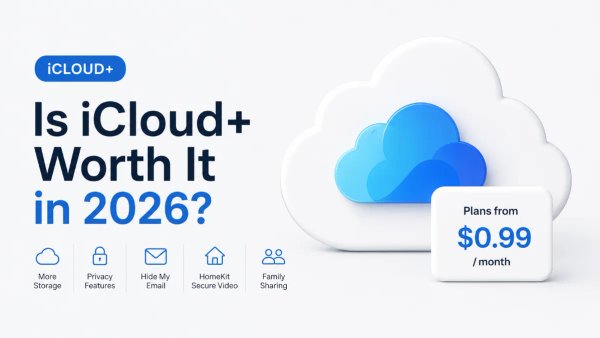
iCloud+ starts at $0.99 per month, but the real question is whether Apple's storage and privacy bundle is worth it compared with alternatives. Here is a plain-language breakdown of every plan.
Popular on SubShave
Save Money Today
Stop Overpaying for Subscriptions
Compare subscription offers for streaming, AI tools, and software. Prices, access arrangements, and availability vary by seller.
Explore All Deals