
Runway AI Pricing in 2026: Plans, Credits, and Max Explained
 SubShave Editorial9 October 2026
Compare Runway AI Free, Standard, Pro and Max pricing, annual costs and credits. Learn how retries, rollover and API billing affect your budget.
Affiliate disclosure: This article contains affiliate links. SubShave may earn a commission if you buy through them. The provider or seller named at checkout handles your purchase.
Runway's individual plans start with a free allowance and scale through Standard, Pro and Max. The important number is how many usable clips you can make after retries, not simply the monthly subscription fee.
Runway AI pricing in 2026
| Plan | Monthly billing | Annual upfront total | Included credits |
|---|---|---|---|
| Free | $0 | — | 125 once |
| Standard | $15 | $144 ($12/month equivalent) | 625/month |
| Pro | $35 | $336 ($28/month equivalent) | 2,250/month |
| Max | $95 | $912 ($76/month equivalent) | 9,500/month |
USD individual-plan figures from Runway's current pricing page. Annual totals are twelve times the advertised annual monthly equivalent. Confirm tax and your selected checkout. Annual billing does not mean all the year's subscription credits arrive at once.
Choose a plan from a representative project
Use Free to test whether the output and workflow fit your needs. For paid work, estimate the clips you need, the model you will use and the likely number of attempts before a clip is acceptable. Compare that measured usage with a month's allowance.
Standard can suit occasional short projects. Pro provides more room for regular production. Max is worth considering when sustained generation volume justifies its larger allowance and additional capabilities. These are editorial starting points, not guarantees that any tier will finish a particular project.
How Runway credits translate into video
Runway's credit documentation lists Gen-4.5 at 12 credits per generated second. A five-second attempt therefore uses 60 credits. Ten attempts use 600 credits, even if you keep only two clips.
This gives a useful production calculation: number of attempts × clip duration × model credit rate. Add any other generation or processing work separately. Model, duration and resolution can change the rate; check it before starting.
Budgeting for the length of the final edit alone will usually miss rejected takes. Keep a small project log with attempted clips, credits spent and accepted clips so the next estimate is based on your own workflow.

Rollover, purchased credits and annual billing
Standard and Pro subscription credits reset at the billing date without rollover. Max permits up to one month's unused credits to carry into the following month. Purchased credits and the Free plan's one-time deposit do not expire under the checked documentation.
Runway app credits and API credits are separate. A creative subscription should not be budgeted as credit for an API integration.
Annual billing can reduce the subscription rate while still leaving unused monthly capacity. If work arrives in short campaigns, compare a few paid months with the annual total before committing.
What happened to Unlimited?
The current individual pricing page presents Max. The help center still describes Unlimited among supported plans. Do not assume an older Unlimited tutorial or account listing describes the offer available to a new subscriber today; verify the exact plan in the checkout or account.
Keep production costs under control
- Prepare the brief, reference assets and shot list before generating.
- Test the style with a short clip before making variations.
- Change one major variable at a time so failures are easier to diagnose.
- Record the cost of accepted output, including rejected attempts.
- Check export quality, storage and project limits before a client deadline.
For example, if a hypothetical project uses 1,200 credits to produce six accepted shots, budget about 200 credits per accepted shot for a similar project—not just the rate of one attempt. That estimate is specific to the project and can change with the model or brief.
Comparing a marketplace offer
A marketplace Runway account offer needs an exact plan name, credit allowance and explanation of who controls the workspace. Confirm whether other users share the credit balance and whether the arrangement permits your intended use.
Before paying, confirm the plan, paid period, account control, recovery access, region, renewal and support. A seller listing does not establish authorization from the original provider. Shared access, an organization invitation and a subscription in your own account are different products.
Check the Runway listing on GamsGo (affiliate link). Read the selected offer's terms and compare the full amount with buying directly.
Compare tools by the work you need
Read our AI subscription comparison for a broader choice of tools. If still images are the main job, the Midjourney pricing guide is a more relevant comparison than paying for video capacity you rarely use.
Frequently asked questions
Do Free credits renew every month?
No. The listed Free allowance is a one-time deposit.
Does an annual plan give unlimited generation?
No. The listed plans include specific monthly credit allowances and other limits.
Can I use the same credits for the API?
No. The app and API have separate credit systems.
Which plan is best for a beginner?
Start with a test project, then buy the smallest plan that covers measured needs. Review before renewal rather than upgrading on an optimistic production estimate.
Sources and price checks
Editorial check: 27 September 2026. Prices and terms are a dated snapshot, not a promise of a future offer. Confirm your country, selected plan, taxes and renewal at checkout.
Save Money Today
Find the cheapest deal on this service
SubShave compares third-party offers for streaming, AI tools, and software. Check the seller’s current prices and terms before purchasing.
Related Articles
AI Tools
Compare Midjourney pricing, annual savings, Fast GPU hours, Relax Mode, Stealth Mode, and the real cost for different creative workloads.

Claude does not currently offer a universal individual student discount. However, students at participating universities may receive institution-sponsored Claude for Education access. Here is how it works, what Claude Pro costs, and which legitimate alternatives students can use.
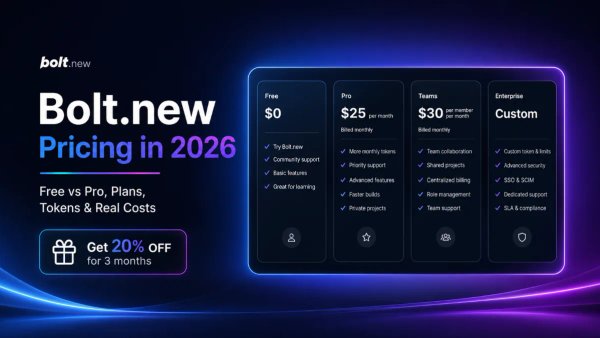
Compare Bolt.new pricing, Free vs Pro, monthly tokens, hosting, Teams, annual savings, and a referral offer that may give eligible readers 20% off.
Popular on SubShave
Save Money Today
Stop Overpaying for Subscriptions
Compare subscription offers for streaming, AI tools, and software. Prices, access arrangements, and availability vary by seller.
Explore All Deals